
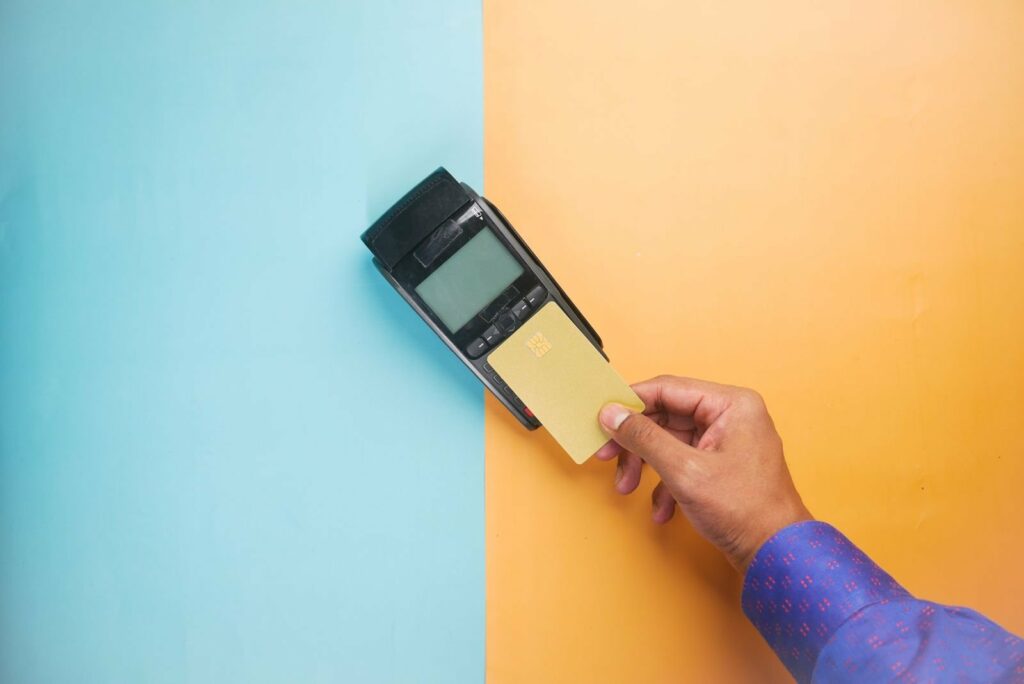
Hire terminals have a harder life than almost any other EFTPOS device. In one month, the same terminal might work a wet weekend festival, a three-day trade show, a pop-up shop and a long run of food truck nights, each time in different hands. Then it comes back to the depot and has to go straight out again.
For EFTPOS terminal hire and rental fleets in New Zealand and Australia, that turnover is the business model. It also means damage, wear and downtime cost more than they would for a single café or shop. This guide covers where hire terminals get damaged, how protection cuts repair and replacement costs, and how to refresh terminals between hires so they go out looking as good as new.
Why hire terminals take a beating
A business that owns its own terminal tends to look after it. A hired terminal is used by temporary staff, volunteers and stallholders who may only have it for a day or two. It also gets used in the toughest settings:
- Rain and weather. Outdoor festivals, markets and sports events don’t stop for a shower.
- Spilt drinks. Bars, beer tents and coffee carts mean terminals sit next to drinks all day.
- Dust and dirt. Fields, car parks and A&P shows leave grit on keypads, screens and seams.
- Drops and knocks. Terminals get carried through crowds, handed across counters, packed into crates and moved between vehicles.
- Constant cleaning. Every terminal that comes back has to be cleaned before it goes out again.
We cover the general causes of terminal damage in more detail in Why Protect Your EFTPOS Terminal?.
What damage really costs a hire fleet
For a hire business, a damaged terminal costs more than the repair or replacement itself:
- Lost hires. A terminal waiting for repair can’t go out, and in the busy season it may mean turning a booking away.
- Downtime at the event. If a terminal fails on site, your customer can’t take payments, and that reflects on you.
- Turnaround time. Every terminal that needs extra cleaning, checks or a repair slows down the depot.
- A tired-looking fleet. Scratched screens and worn keypads make a terminal look second-hand, even when it works perfectly.
Protection doesn’t make a terminal indestructible, but it deals with the most common causes of damage and helps terminals stay in service for longer. Over a whole fleet, that adds up to fewer repairs, fewer replacements and more terminals available to hire.
The right protection for each terminal
Wet covers for keypad terminals
Wet covers are for terminals with physical keypads. A wet cover is a flexible, custom-fitted seal that sits over the keypad, so the keys still press normally while the cover takes the rain, spilt drinks, dust and dirt. Our wet covers are made from a material that resists the growth of microbes and fungus, and they give you a smooth surface that’s quick to wipe clean between events.
Our keypad range includes the Ingenico Move 5000 (including the V6), Verifone P400 and 210m, the Ingenico Desk 3200, the Desk 5000 and the Ingenico Lane 3000. We’ve also covered the Lane 3000 and Desk 1500 in an earlier post. For more on wet covers at outdoor and hospitality sites, see our guide to EFTPOS wet covers for hospitality and outdoor trading.
Silicone cases for knocks and drops
A fitted silicone case protects the edges and back of a portable terminal from knocks and drops, and adds grip for staff working in a crowd. We make silicone cases for the Ingenico Move 5000, the PAX A920 Pro and PAX A910S, the Sunmi P2 and P3 and the Verifone T650P.
Screen protectors for touchscreens
Screen protectors can be made for any terminal, and they matter most on touchscreen models such as the PAX A920 Pro and A910S and the Sunmi P2 and P3, where the screen is used for almost everything and takes most of the wear. A screen protector takes the scratches and scuffs instead of the screen, and it can be replaced quickly when it’s worn.
Touchscreen terminals like these don’t take a wet cover. For them, a silicone case and a screen protector are the protection to fit.
The full protection package
For hire fleets, we generally recommend combining a silicone case with a screen protector or wet cover:
- Keypad terminals such as the Move 5000: a silicone case plus a wet cover.
- Touchscreen terminals such as the PAX A920 Pro, A910S, Sunmi P2 and P3 and Verifone T650P: a silicone case plus a screen protector.
Together they give the most complete protection, and they represent good value compared with the cost of repairing or replacing damaged terminals.

Refreshing terminals between hires
Protection doesn’t just reduce damage. It also makes the turnaround between hires much simpler. Instead of trying to restore a scratched screen or a grubby keypad, you replace the part that took the wear. Pop on a new screen protector, and swap the silicone case too if you want the terminal to look brand new for its next customer.
A refresh checklist for your depot
- Inspect. Check each terminal as it comes back for cracks, lifting screen protectors, torn or stretched wet covers and worn cases.
- Clean. Follow your terminal provider’s cleaning guidance. Apply cleaner to a cloth rather than spraying the terminal. Our guide on how to clean an EFTPOS terminal safely has more detail.
- Replace what’s worn. Fit a new screen protector, wet cover or case wherever the old one is scratched, torn or no longer fits snugly.
- Stock spares. Screen protectors, wet covers and cases are wear items. Keep spares for each model at the depot so a refresh never holds up a hire.
- Fit protection before deployment. Every terminal should leave the depot protected, not just the ones going to outdoor events.
Standardising on the same protection for each model across the fleet makes reordering and refreshing simple, and it means every terminal goes out to the same standard.
Get ready for the summer events season
In New Zealand and Australia, summer is the busiest time of year for event and festival hire. It’s also when terminals face the most rain, dust, sun and spilt drinks. The best time to fit protection and stock up on spares is before the season starts, while terminals are back at the depot and easy to prepare in one go.
Protect your hire fleet with Keycovers
Keycovers is based in Auckland, New Zealand. We make wet covers, silicone cases and screen protectors for payment terminals, and supply hire and rental fleets, resellers and terminal providers across New Zealand, Australia and beyond.
Tell us which terminal models are in your fleet and roughly how many, and we’ll put together suitable options.
Get in touch about your hire fleet, email sales@keycovers.co.nz or call (09) 845 1464.
Need covers or screen protectors for your terminals? Talk to us about your fleet.