
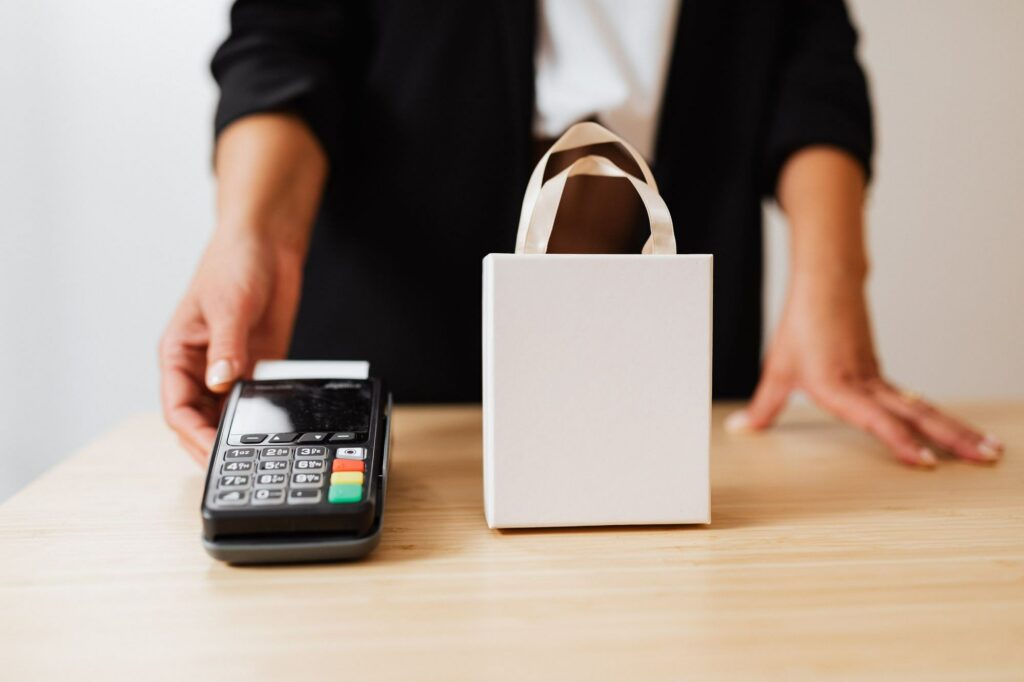
The Ingenico Desk 3200 is a countertop terminal that sits at the till all day, often right next to coffee cups, drinks and wet hands. A Desk 3200 wet cover from Keycovers is a clear, flexible cover moulded to fit the Desk 3200 keypad. It keeps spills, dust and grime out of the keys while staff and customers carry on using the terminal as normal.
This post covers what the Desk 3200 wet cover does, where it’s most useful, and how to get the best life out of it across a site or a fleet of terminals.
Why the Desk 3200 keypad needs protecting
Countertop terminals rarely get dropped, but they’re surrounded by liquid. Every key on a keypad has a small gap around it, and anything spilled on the bench can find its way into those gaps. Common problems include:
- coffee, milk and sugary drinks splashed across the keypad
- terminals sitting in a film of liquid on a freshly wiped bench
- grease and food residue in kitchens and takeaways
- cleaning sprays landing on the terminal instead of on a cloth.
Moisture damage can be expensive to repair, and it often means replacing the whole unit. The Ingenico Desk 3000 series, which includes the Desk 3200, has reached end of life with Ingenico, so many businesses want the terminals they already have to keep working for as long as possible.
What the Desk 3200 wet cover does
The cover sits snugly over the Desk 3200 keypad. The keys stay readable and easy to press, and the cover takes the splashes and handling instead of the terminal. When properly installed, it’s designed to:
- help keep spills and splashes out of the gaps between the keys
- block dust, grease and food residue
- give you a smooth surface that wipes clean in seconds
- reduce wear on the key legends and the terminal’s own finish.
Our wet covers are made in New Zealand from a material that resists the growth of microbes and fungus. To clean one, spray an approved antimicrobial cleaner onto a cloth and wipe the cover down. Our guide to cleaning an EFTPOS terminal safely has more detail.
Where a Desk 3200 wet cover makes the most sense
- Cafés and bars: the till is usually next to the coffee machine or the drinks station.
- Takeaways and food counters: grease and wet hands are part of every shift.
- Pharmacies and healthcare counters: terminals are wiped down often, and a cover gives cleaning staff a smooth surface to work on.
- Trade counters: dust and grit from customers’ hands build up around the keys.
For more on choosing protection for busy venues, see our guide to EFTPOS wet covers for hospitality and outdoor trading.
Fitting and replacing a Desk 3200 wet cover
- Check the model. The model name is on the label under the terminal. Similar-looking Ingenico countertop units have different key layouts, so make sure it says Desk 3200.
- Fit it clean and dry. Wipe the keypad and let it dry before you put the cover on.
- Check it weekly. Look for tears, lifting edges or a loose fit as part of your closing routine.
- Replace it when it’s worn. A cover is a wear item. A stretched or torn one won’t seal properly, and swapping the cover is much simpler than dealing with a damaged terminal.
Desk 3200 wet covers for resellers and multi-site businesses
If you place or manage Desk 3200 terminals across many sites, fitting a wet cover at installation, swap-out or service visit is the easiest time to do it. Standardising on one cover across the fleet makes reordering simple, and keeping a few spares at each site means a worn cover can be replaced on the spot.
Keycovers has been making EFTPOS wet covers in New Zealand for more than 25 years. Alongside the Desk 3200, our current range includes covers for the Ingenico Desk 5000, Desk 1500, Lane 3000 and Move 5000, and the Verifone P400 and 210m. If you run a terminal we don’t list, tell us the make and model and we can usually make one.
Order Desk 3200 wet covers
Tell us how many Desk 3200 terminals you need covers for, and whether you run any other models, and we’ll come back to you. Email sales@keycovers.co.nz or call (09) 845 1464.
Need covers or screen protectors for your terminals? Talk to us about your fleet.